
Remember every conversation
that matters
A coffee catch-up, a quick call, a dinner with old friends — moments fade fast. Aime helps you capture them in seconds so you always know where you left off.
More than a call log
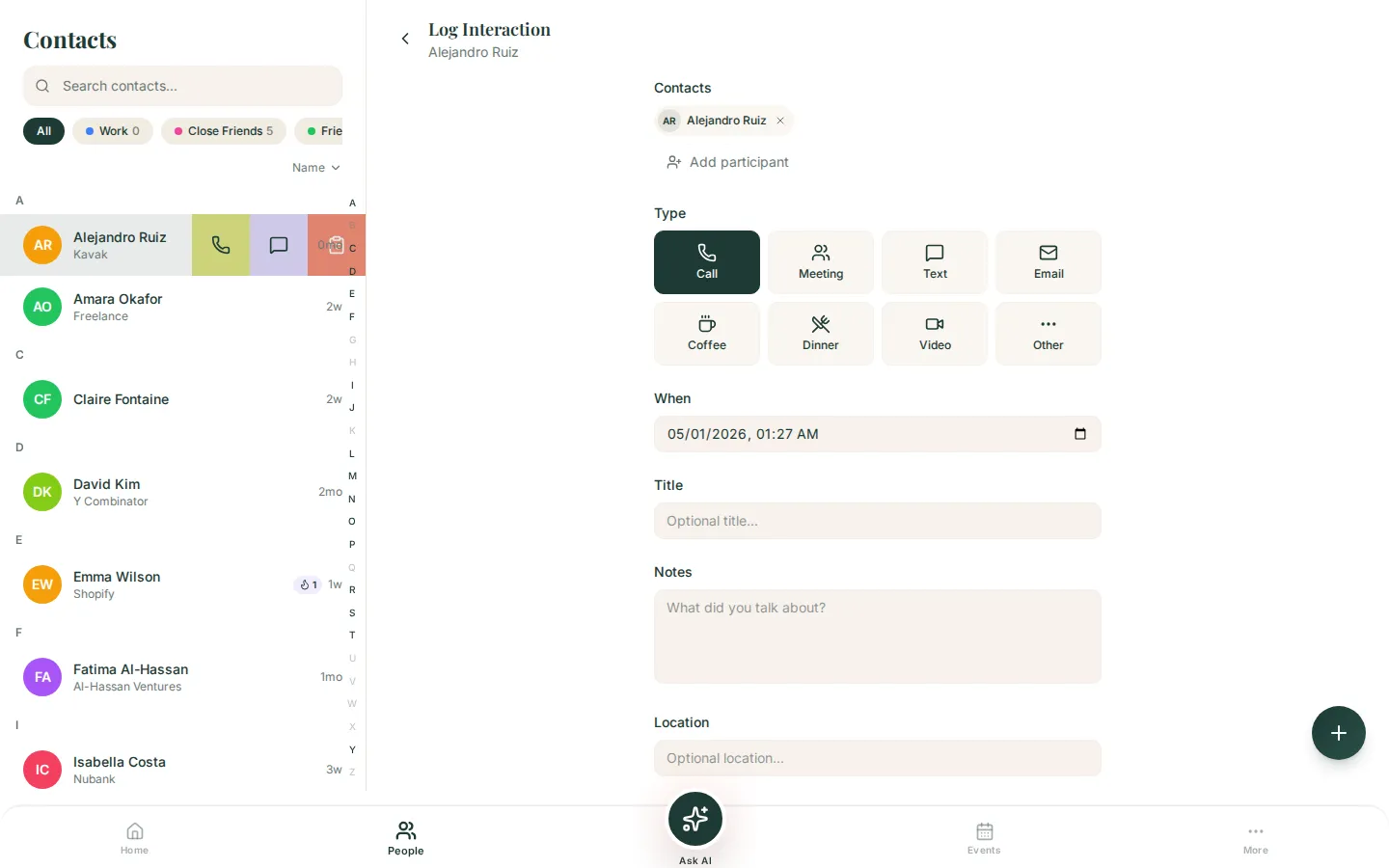
Eight interaction types, quality ratings, and automatic tracking — everything you need to remember where you left off with the people who matter.
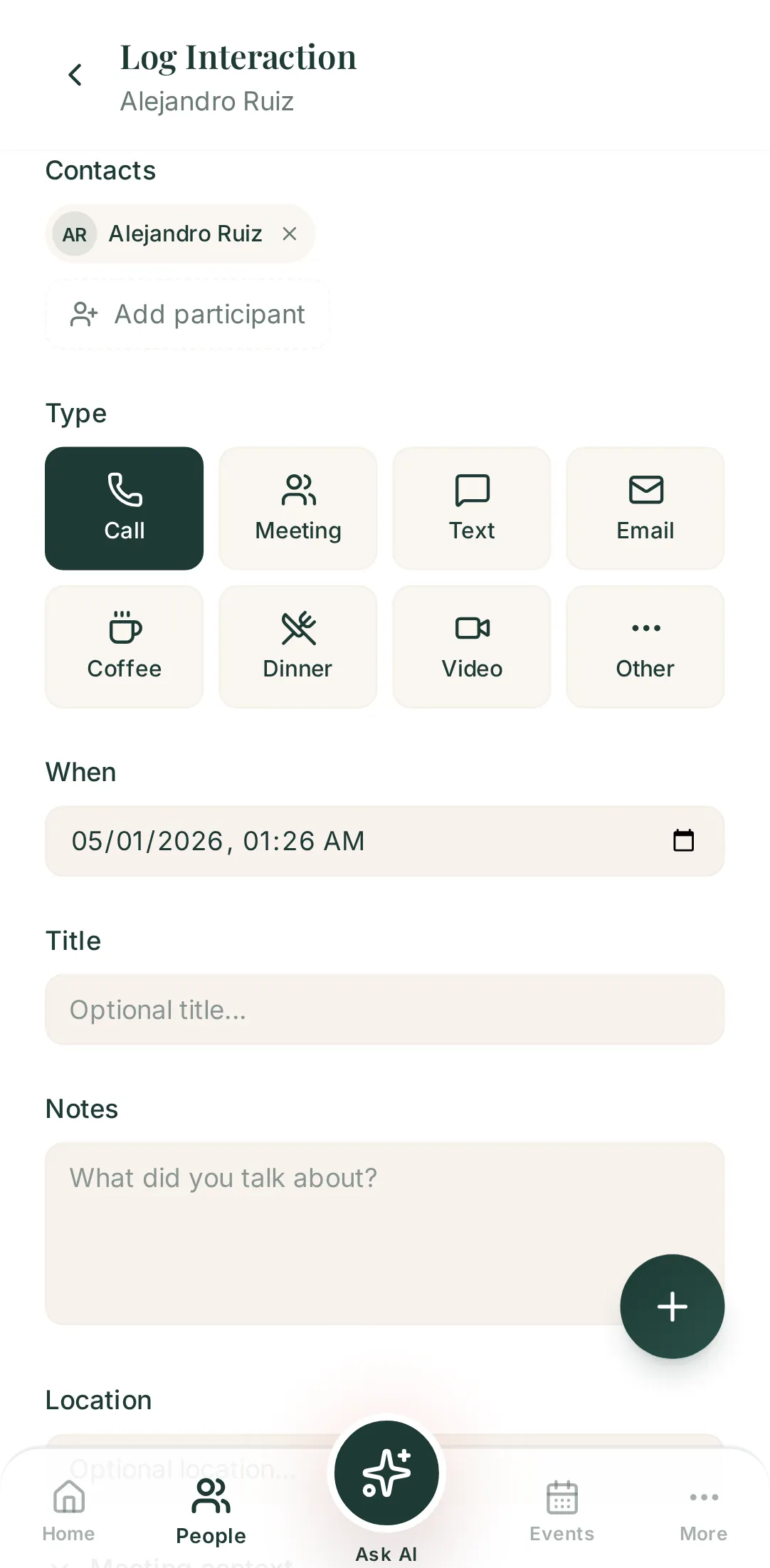
Every kind of catch-up, covered
Call, meeting, text, email, coffee, dinner, video call, or something else entirely. Pick the type, add a few notes, and move on with your day.
How did it go?
Rate each interaction from great to poor. Over time, you'll see which relationships are thriving — and which ones need more attention.
"When did we last talk?" — answered
Every logged interaction updates the contact's last-contacted date automatically. No more guessing who you haven't reached out to in months.
Log a catch-up in under 10 seconds
Tap the + button, pick a contact, choose the interaction type from the icon grid, and hit save. That's it.
Add notes if you want context later — what you talked about, a follow-up idea, something they mentioned. Or skip notes entirely; the record alone is valuable.
- Eight interaction types — call, meeting, text, email, coffee, dinner, video call, other
- Notes are optional — the record itself is what counts
- Pre-filled when launched from a contact profile
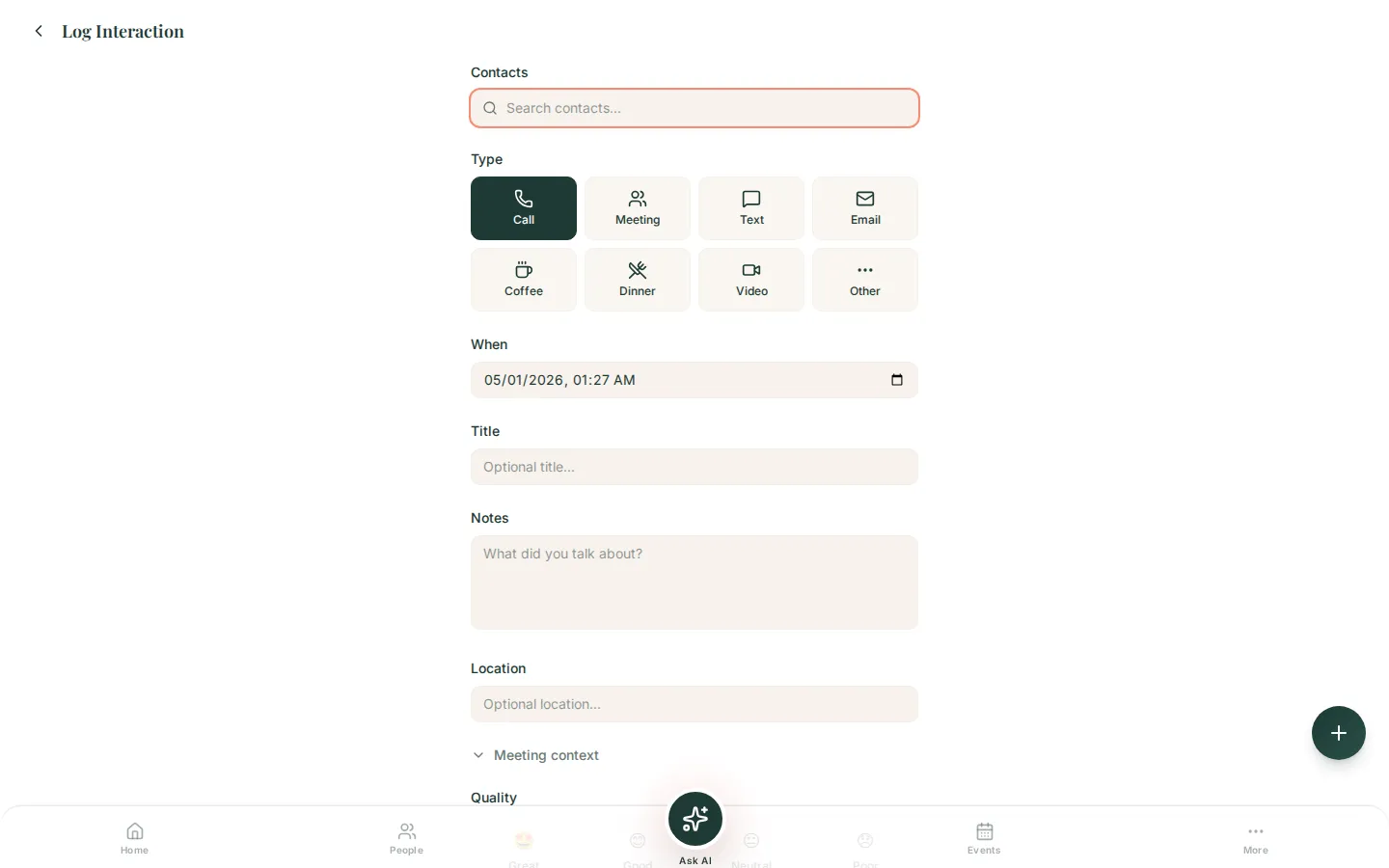

When, where, and what — all captured
Date and time default to right now, or backdate for catch-ups you forgot to log. Add a location and meeting context so future-you has the full picture.
Next time you meet Sarah, you'll know exactly where you left off.
- Date defaults to now — or backdate in one tap
- Location field with autocomplete
- Expandable meeting context for when, where, how, and what
Your shared history, at a glance
Every interaction shows up on the contact's timeline — sorted by date, with type icons, quality badges, and note previews. Tap any entry to see the full details.
Before a meeting, skim the timeline. You'll walk in remembering what matters.
- Chronological timeline with type icons and quality badges
- Tap any entry to see full notes and context
- Skim before a meeting — walk in prepared


Track how relationships actually feel
After logging, rate the interaction: great, good, neutral, or poor. It takes one tap.
Over time, these ratings reveal patterns. Maybe you always feel energized after coffee with Jake — or drained after team calls with a particular colleague. The data is there when you need it.
Works even better with
Interaction logging is just one part of how Aime helps you stay close to the people who matter. Explore what else it can do.
Talk about someone and Aime organizes it
Record, transcribe, done. Voice notes are the fastest way to capture context.
Learn about voice notesSet your cadence per person
Never let a relationship go cold. Aime nudges you before the gap gets too wide.
Learn about remindersSee your interaction patterns
Overdue contacts, relationship trends, and activity insights — all on your dashboard.
Learn about dashboardYour relationships deserve a memory
Stop losing track of conversations that matter. Start logging today.
Get Started — It's Free